The 16×2 LCD is a cheap display that can be used to display text output from an Arduino.
Below is the schematic
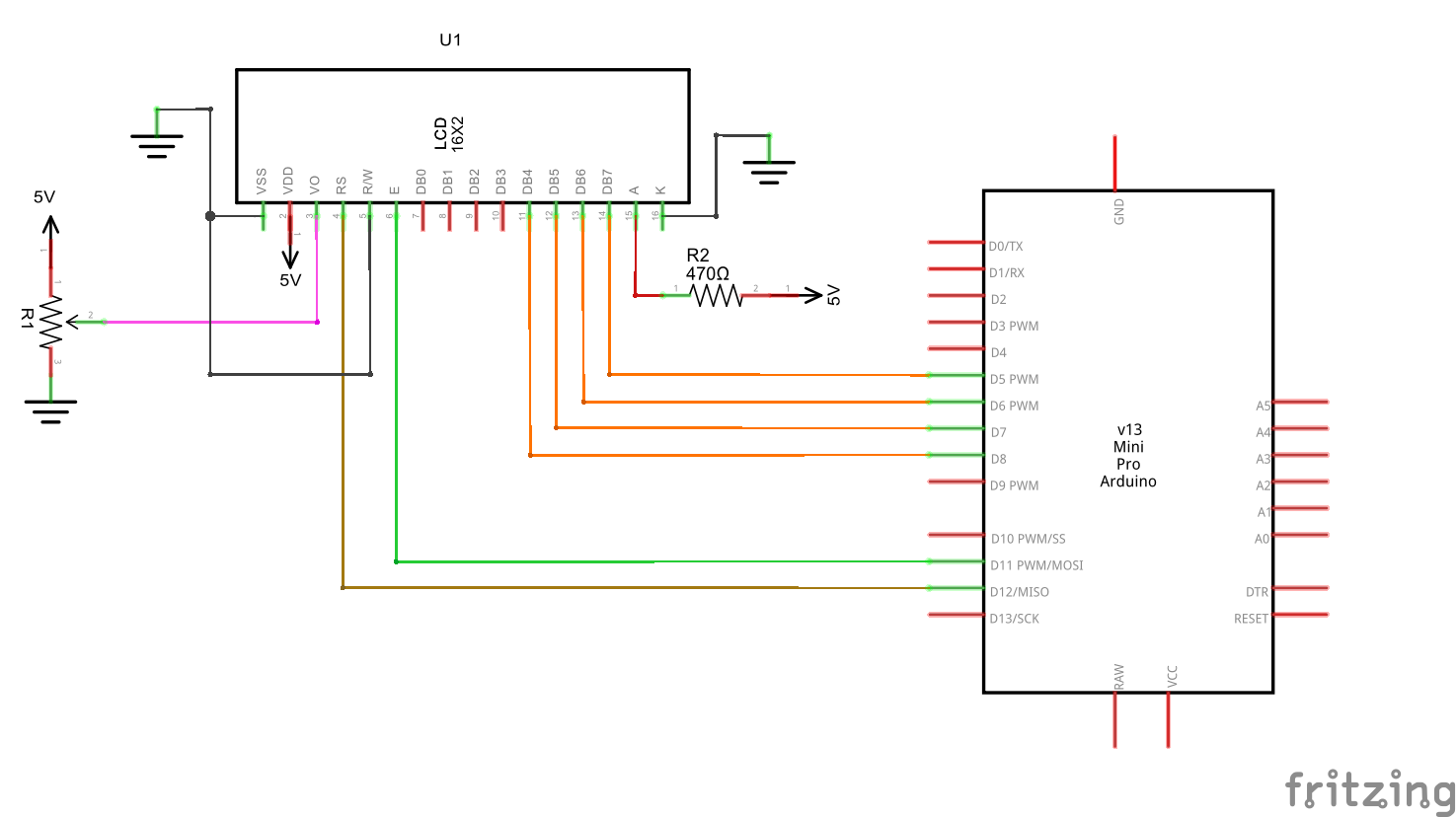
- The VO is for setting the contrast (or readability) of the characters.
- A and K are the LED pins (backlight of the LCD)
Arduino has libraries for interfacing with this type of LCDs. The library has various examples including for text scrolling.
Basic example – simple text print
// include the library code:
#include <LiquidCrystal.h>

// initialize the library with the numbers of the interface pins
LiquidCrystal lcd(12, 11, 5, 4, 3, 2); // RS, Enable, D4, D5, D6, D7

void setup()
{
  // set up the LCD's number of columns and rows:
  lcd.begin(16, 2);
  // Print a message to the LCD.
  lcd.print("hello, world!");
}